
Last updated: April 10, 2025
The background color of an individual landing page can be changed by adding simple CSS to the Head section of a Website page or Landing Page.
- Navigate to the editor of your page > click Settings > scroll down to Page Settings under Advanced Options and click + Add Head HTML.
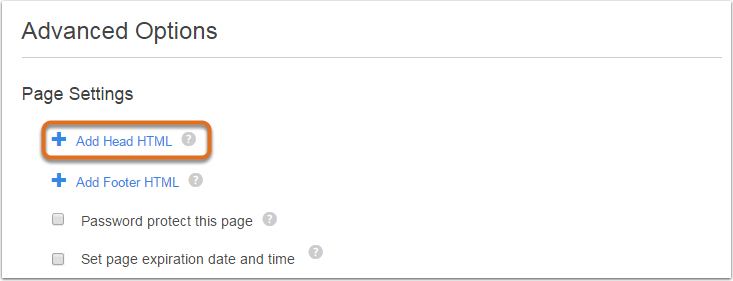
- In the pop-up window, insert the following code:
<style>
 body {
 background-color: red;
 }
 </style>
Replace the color red with the color of your choice, either using the name or the HTML hex value.
- Click Save when done, and then hit Update or Publish.