
Last updated: April 10, 2025
You can import all Leads, all Contacts, and members of active Salesforce campaigns into HubSpot.
- Navigate to Contacts > All Contacts.
- Click on the Import button located near the top.
- Click Import contacts, and select Import from Salesforce.
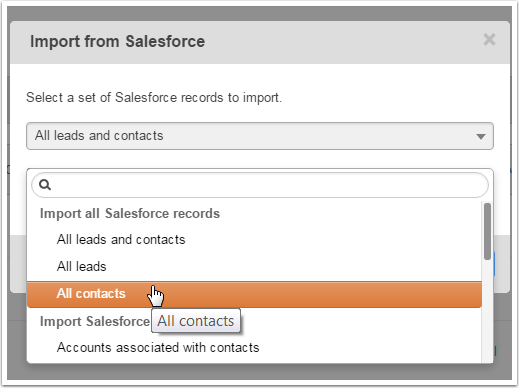
- Select who you want to import from Salesforce in the drop-down.
- Click Begin Import.