
Last updated: April 10, 2025
Provisioning users through SCIM (the System for Cross-domain Identity Management) provides a secure and automated way to create and manage HubSpot users through Okta.
Below, learn how to set up user provisioning through Okta.
Prerequisites
- Single sign-on (SSO) must be enabled in your HubSpot account.
- To set user permissions, you must create roles in HubSpot. Okta can then assign a role to a user if their Title in Okta matches the name of the HubSpot role.
Set up SCIM provisioning
To set up SCIM user provisioning through Okta, you'll need to first add the HubSpot app in Okta, then assign users to the app:
- Log in to Okta.
- In the left sidebar menu, select Applications > Applications, then browse for and add the HubSpot application in your Okta account .
- In the HubSpot application screen, click the Provisioning tab, then click Configure API Integration.
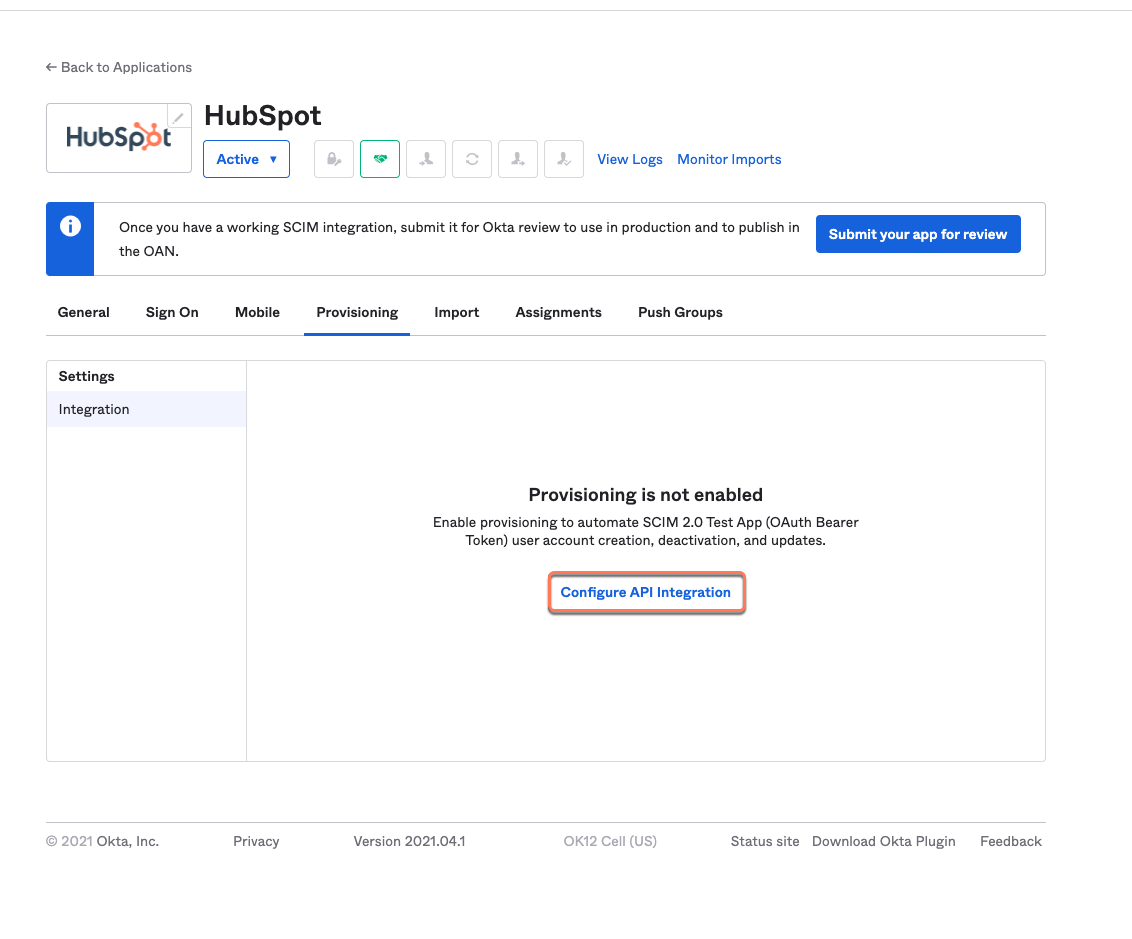
- Select the Enable API integration checkbox, then click Authenticate with HubSpot. A new window will open where you can give Okta access to your HubSpot account.
- In the HubSpot window, select which account you want to integrate Okta with, then click Choose account.
- Click Connect app. The window will close, and you'll be directed to the Okta admin console.
- Click Save.
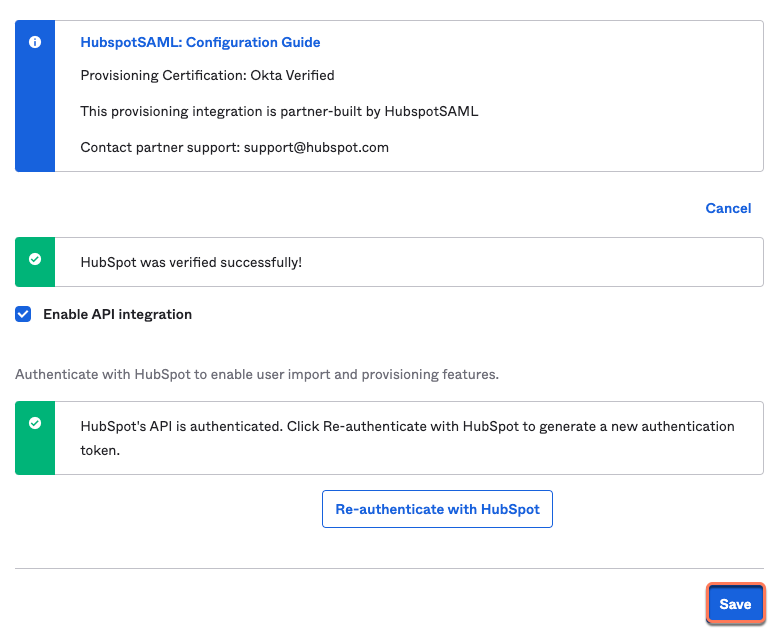
- On the Provisioning tab, select how you want Okta to provision users to HubSpot by clicking Edit.
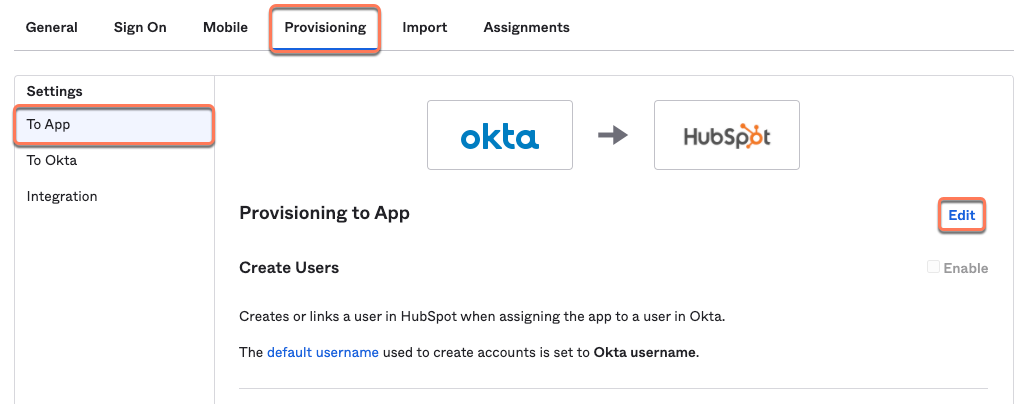
- Select the Enable checkboxes next to Create Users, Update User Attributes, and Deactivate Users to configure the integration.
- Click Save.
- Then, assign users to the HubSpot app.
FAQ
Can users created through SCIM be edited in HubSpot?
No. A user created through SCIM can only be updated through your identity provider. This includes user permissions, user name, and email address.
Can Okta assign users to teams?
No. However, after the user is added to HubSpot, you can update their team manually in HubSpot.
What happens if I delete a SCIM user in HubSpot or Okta?
Deleting a user in HubSpot will not delete the user in Okta. However, if you remove a user's access to HubSpot from Okta, or deactivate their account in Okta, the user will be deleted in HubSpot. Adding a user to HubSpot will not add the user to Okta.
What happens to existing users in my HubSpot account when I connect Okta?
After setting up SCIM through Okta, any existing HubSpot users that match users in Okta will automatically be converted to SCIM users. HubSpot will attempt to assign the user a role based on their Title in Okta. If the user does not have a title in Okta that matches a user role in HubSpot, the user will have only minimal permissions in HubSpot. It's recommended to set up user roles in HubSpot based on your team's Okta Titles before setting up SCIM.