

Invoices
Quickly turn quotes into cash with invoices sent directly from your HubSpot Smart CRM. Stay on top of invoices with overdue invoice tracking and management.
Powerful and easy-to-use commerce tools to help your business bill your customers and collect revenue.
There isn’t a monthly SaaS subscription fee for using Commerce Hub features. You'll only be charged a fee for creating a complete payment transaction experience. Pricing per transaction depends on which payment processing option you choose:
HubSpot payments (per transaction):
- Credit / Debit: 2.9% per transaction
- ACH: 0.8%, capped at $10 per transaction, plus 0.5% platform fee capped at $10
Stripe payment processing (per transaction):
- Platform fee: 0.75%
- You will also pay the processing fee you have agreed to directly with Stripe
The platform fee is a charge to use Commerce Hub tools to get paid. For a limited time, there is no platform fee for 60 days on HubSpot payments. See the Pricing and Services Catalog for more details.
Fully featured commerce software with: payment links, invoices, quotes, subscription management, automation, and revenue reporting. Choose your payment processor — HubSpot payments or Stripe payment processing. Plus, the ability to seamlessly integrate with Quickbooks and over 1,400 tools in HubSpot’s App Marketplace.
Run your commerce process all on HubSpot’s Smart CRM. Plus, go from multiple tools to one with your quoting, payments, reporting, and customer data all under one roof. You’ll have all the insights and automation you need to grow better. Go ahead and breathe a sigh of relief … commerce just got a lot easier.
.png?width=567&height=361&name=Get%20Paid%20Faster%20(1).png)
Get paid faster with revenue tools, such as invoices, payment links, and quotes.
Get ready to start accepting payments quickly with your choice of a payment processor — HubSpot payments or Stripe payment processing.
Here’s to an exceptional B2B checkout experience your customers will love!
Quickly turn quotes into cash with invoices sent directly from your HubSpot Smart CRM. Stay on top of invoices with overdue invoice tracking and management.

Create an exceptional checkout experience for your customers, all on top of your HubSpot Smart CRM.
Seamlessly and quickly collect money from your customers directly from HubSpot’s Smart CRM with your existing Stripe log-in or HubSpot payments.

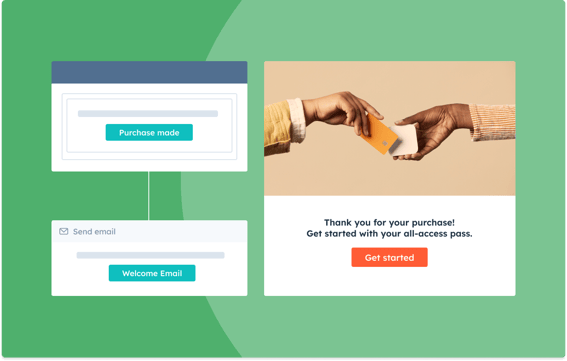
Cut down hours of manual work when you automate billing to remove the pain of payment collection.
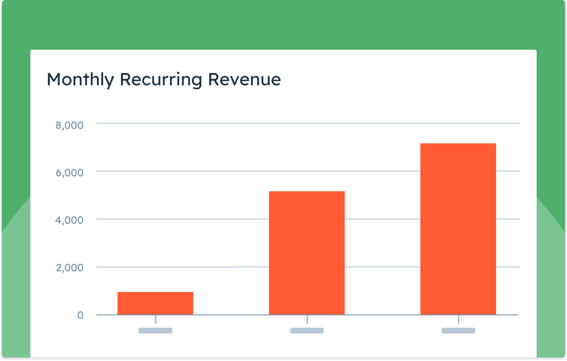
Craft powerful, custom, and easy-to-use reports that help you create revenue and customer growth reports.
Automate time-consuming manual tasks like collections, customer implementation, renewal management, and more.
Combine commerce and CRM data in powerful custom reports to gain a deep understanding of your revenue performance.
Sync invoices and payments to and from your QuickBooks Online account.
Commerce Hub includes all the tools and integrations you need to manage payments in HubSpot. Choose to process payments with your Stripe account or HubSpot payments.
With any Starter, Professional or Enterprise subscription
Fees
With any Free, Starter, Professional, or Enterprise subscription
Fees
For more detailed information on product packaging and the limits that apply, please see our pricing page.
Price shown in USD and subject to applicable tax.
We’re here to help your whole team stay ahead of the curve as you grow.
The Problem
The Nutritional Coaching Institute (NCI) used several disparate tools to collect and track payments.
The Solution
Switching to HubSpot payments allowed NCI to consolidate its payment tools, and seamlessly combine its payment system with HubSpot Smart CRM. Now, they can track payments from start to finish and gain instant insights.
“If you’re in my position as sales director and you’re chasing down numbers from a bunch of different sources and it’s stopping you from doing the sales management you want to be doing, then switch to HubSpot and HubSpot payments,” - Nick Ross, Nutritional Coaching Institute
Read the full case study
The Problem
Instrumental Group was struggling with manual processes to bill for ad-hoc services and manage subscriptions.
The Solution
With recurring payment links from Commerce Hub, they reduced accounting labor, refined their marketing strategy, and elevated customer experience.
“We’ve implemented [Commerce Hub] in just about every way possible. In addition to streamlining our billing and driving growth, we’re able to support our clients with firsthand experience of the tool.”

The Problem
Apps Without Code empowers its customers to bring their app ideas to life in the easiest way possible, without knowing any code.
Yet behind the scenes — and invisible to those customers — the company’s sales and marketing processes were complex. The company had five different tools and data from different systems.
The Solution
Apps Without Code eliminated five different sales, marketing, and payment tools and consolidated client and payment information on the HubSpot Smart CRM.
Commerce Hub is an easy-to-use B2B commerce suite with HubSpot’s customer platform. It helps you streamline your opportunity-to-revenue process to get paid faster, increase revenue, and save time.
Commerce Hub can be used with your existing payments gateway and accounting tools via the HubSpot Stripe integration and HubSpot QuickBooks integrations.
There is no monthly SaaS subscription fee for using Commerce Hub features. You will only be charged a fee on transactions processed through the Commerce Hub tools.
There are some advanced features, ex: custom billing automation, that will require a subscription to another HubSpot product. You can learn about all of the features and requirements on the Commerce Hub pricing page.
HubSpot payments: We recommend HubSpot payments if your business is based in the United States and you have a Starter, Professional, or Enterprise HubSpot subscription.
Stripe: We recommend Stripe payment processing if you are a HubSpot free tools user, your business is not located in the United States, or you have an existing Stripe account that you would like to connect to HubSpot.
Currency availability depends on the processor you select.
HubSpot payments: Currently supports payments in US Dollars (USD $).
Stripe: Currently supports over 20 global currencies, including US Dollars (USD $), Euros (EUR €), British Pound Sterling (GBP £), and Canadian Dollars (CAD $). See Stripe's complete list of currencies.
Your ability to use your custom rate depends on whether you use your existing Stripe account or create a new one under the same login when setting up Stripe payment processing with HubSpot.
If you have a custom rate with Stripe and create a new account under the same login, you should contact your Stripe account manager to apply the correct rates. If you don't know who your account manager is, please contact Stripe's support team at support.stripe.com. Please note that HubSpot does not control your negotiated rate with Stripe, and rates may change based on your direct relationship with Stripe.
HubSpot will add a 0.75% fee for each transaction made using Commerce Hub tools to create a payment experience.
Yes. Commerce Hub supports easy reconciliation and reporting with our native QuickBooks Online integration. We also support the ability to export payments and payouts to CSV in a format that is easy to reconcile.
Each product in the platform is connected to the same underlying customer platform. Although our products are powerful on their own, the real magic happens when you use them together.
Marketing automation software to help you grow traffic, convert more visitors, and run complete inbound marketing campaigns at scale.
Sales software to help you drive productivity, enable customer connection, and support growing sales orgs.
Customer service management software to help you connect with customers, exceed expectations, and turn them into promoters who grow your business.
All-in-one, AI-powered content marketing software that helps marketers create and manage content that fuels the entire customer journey.
Operations software that lets you easily sync and curate customer data, and automate business processes.